Join the Android alpha
Play the Android version before launch, free for testers. Four steps, about two minutes.
Use the same Google account in every step: the one signed in to the Play Store on your Android phone. The pictures show Google's screens in English; in your language the button sits in the same place. Press the one outlined in green.
1 Join the testers group
Open the group and click "Join group". A window opens: click "Join group" again at its bottom. The page then says "Successfully joined the group". Opening the group is not enough: you must join.
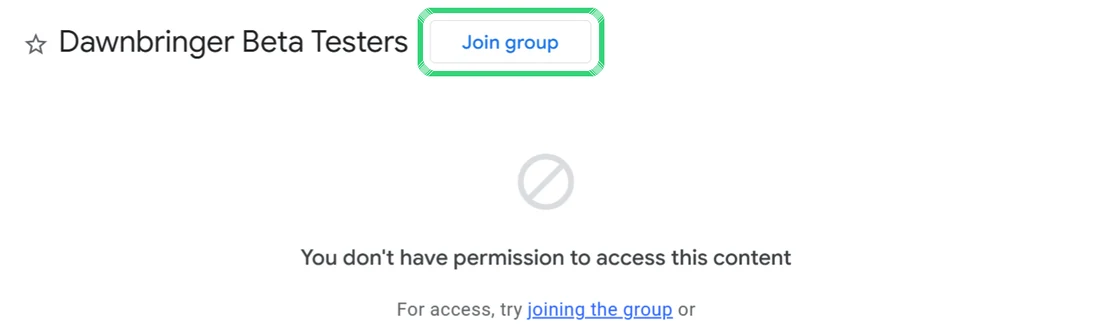
The group page. Click "Join group", outlined in green. 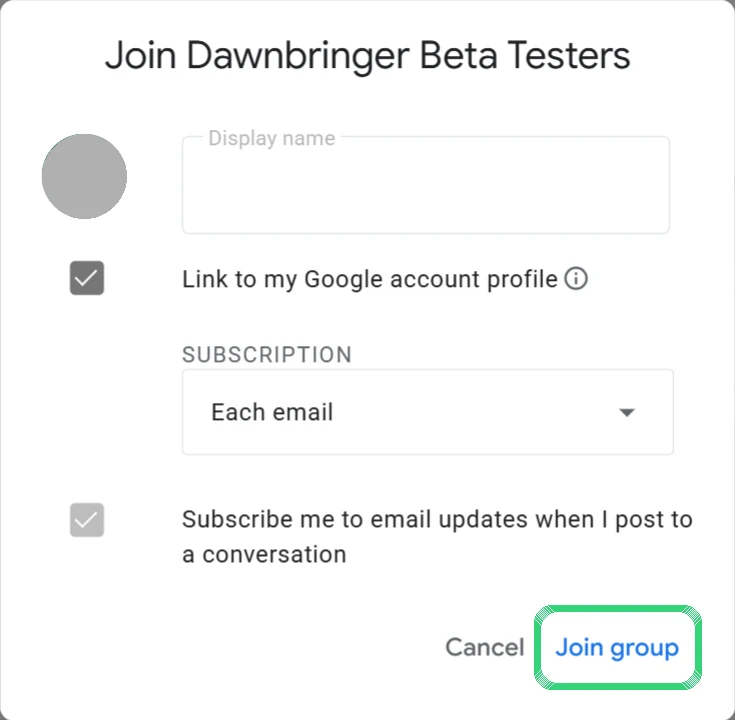
The window that opens. Click "Join group" at the bottom; the name field can stay as it is. 2 Become a tester
With the same account, open the test page and click "Become a tester". Wait until the page says "You are a tester."
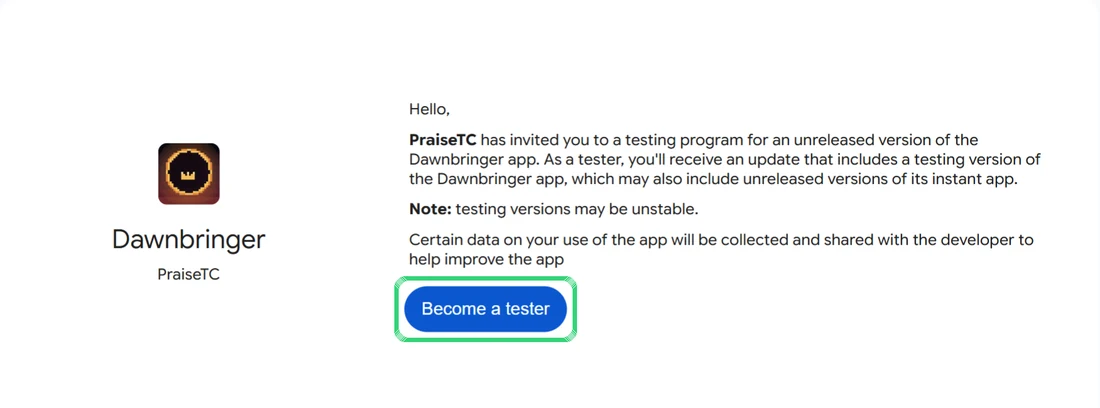
The test page. Click "Become a tester". 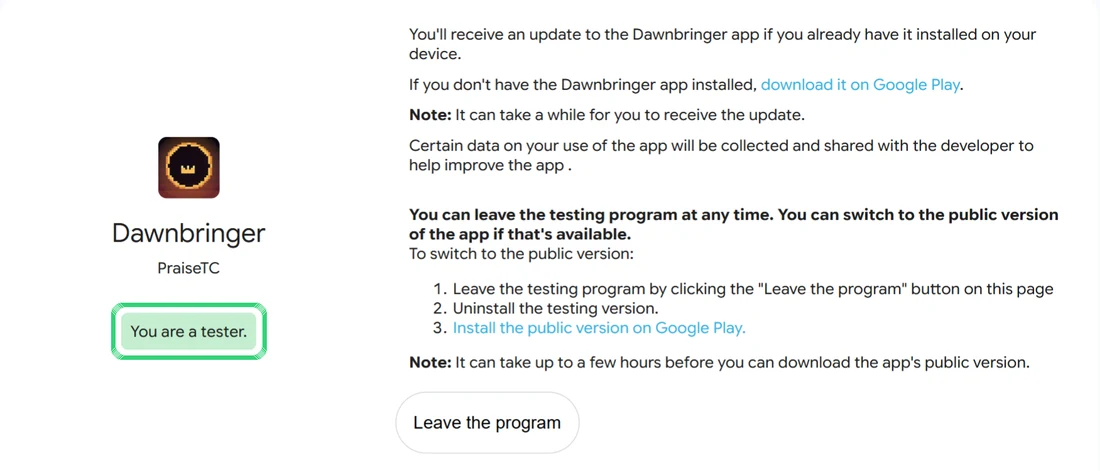
Done: the page says "You are a tester." 3 Open the game on your phone
On your Android phone or tablet, open the game on Google Play. The page is called "Dawnbringer (Early Access)". Tap the blue button with the price. If Google Play says the page was not found, step 2 is not finished yet: go back to step 2, check the Google account and wait a few minutes.
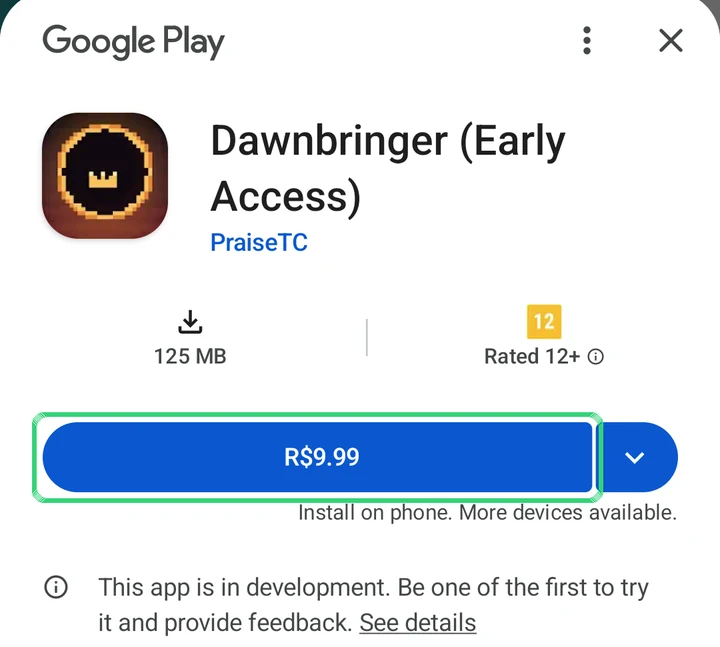
Google Play on the phone. Tap the blue price button. 4 Confirm with the test card
Google Play opens the payment screen. Check that the payment method says "Test card, always approves" and that the screen says it is a test order, then tap "1-tap buy". The game installs and nothing is charged.
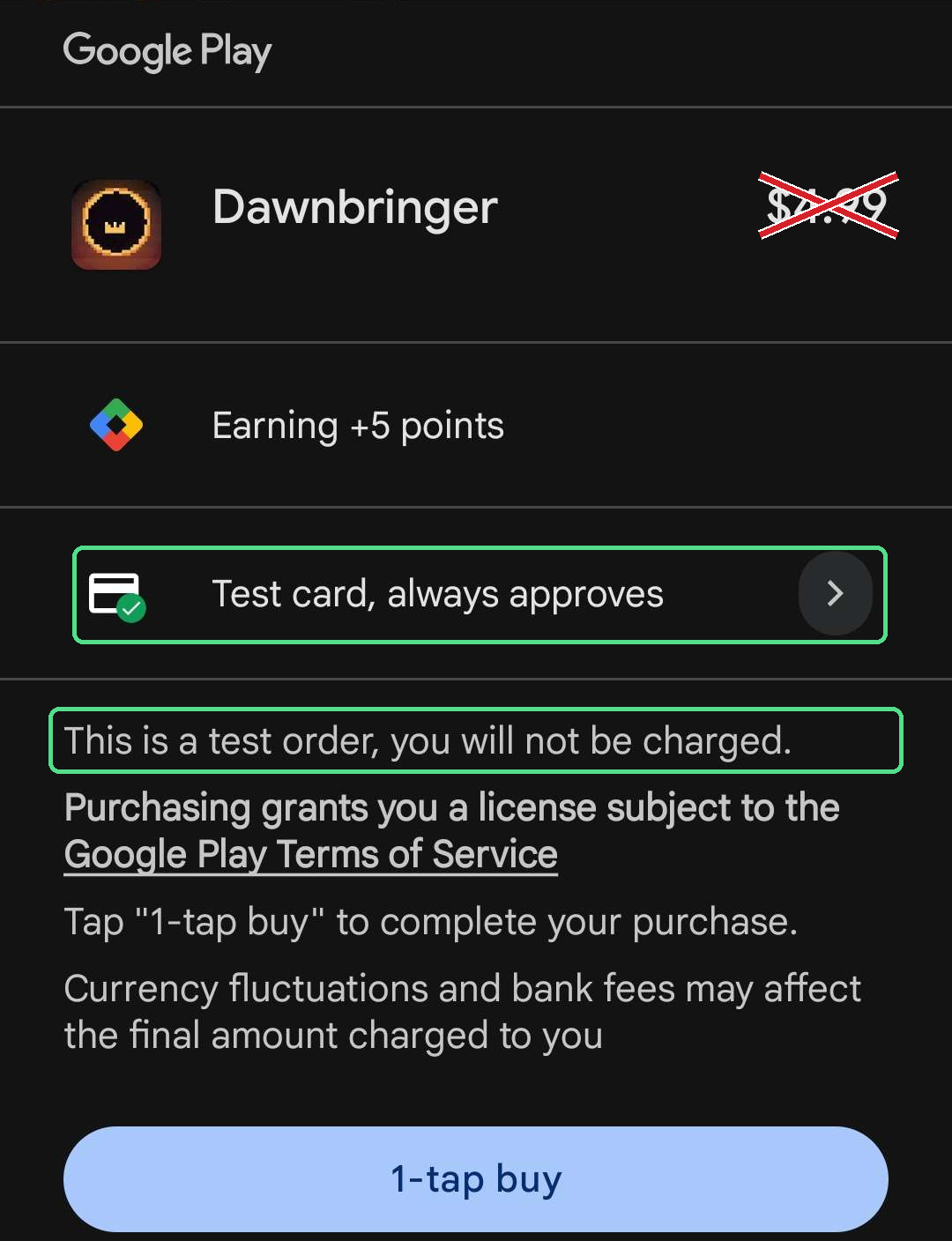
Annotated Android test payment screenshot. The X crosses out the simulated amount. Green outlines mark the test card and Google's notice: this is a test order, you will not be charged.
The free demo on Android
The demo is a separate app, Dawnbringer Demo, and it has no payment step. After step 1, open the demo's test page with the same account, click "Become a tester", then install it from Google Play.
Free alpha access ends at launch. Joining the test does not include a purchase of the final game.
Need help installing?
Use the same account in every step: the group, the test page and the Play Store. If you have several Google accounts, check the profile picture on each page and in the store app.
What is Test card, always approves?
It is Google Play's test payment card. If the payment method says Test card, always approves, confirming makes a simulated purchase with no real charge. If you see your own card or another real payment method, do not confirm. Check the account used in all three steps; if the problem continues, write to us and we will enable your account: dawnbringergame@gmail.com
Can't find the game or join the test?
Check that you joined the group and opted into the test with your Play Store account. Wait a few minutes and reopen the test page. If you still cannot get access, send a screenshot of the message, without payment details, to dawnbringergame@gmail.com